#Your public profile
Public Profile in the sidebar shows what others see: your name, location, a profile photo, and tabs for About, Services, Contact and Reviews, with a Quick Facts box. Until you add a bio it says: This provider hasn't added a bio yet.
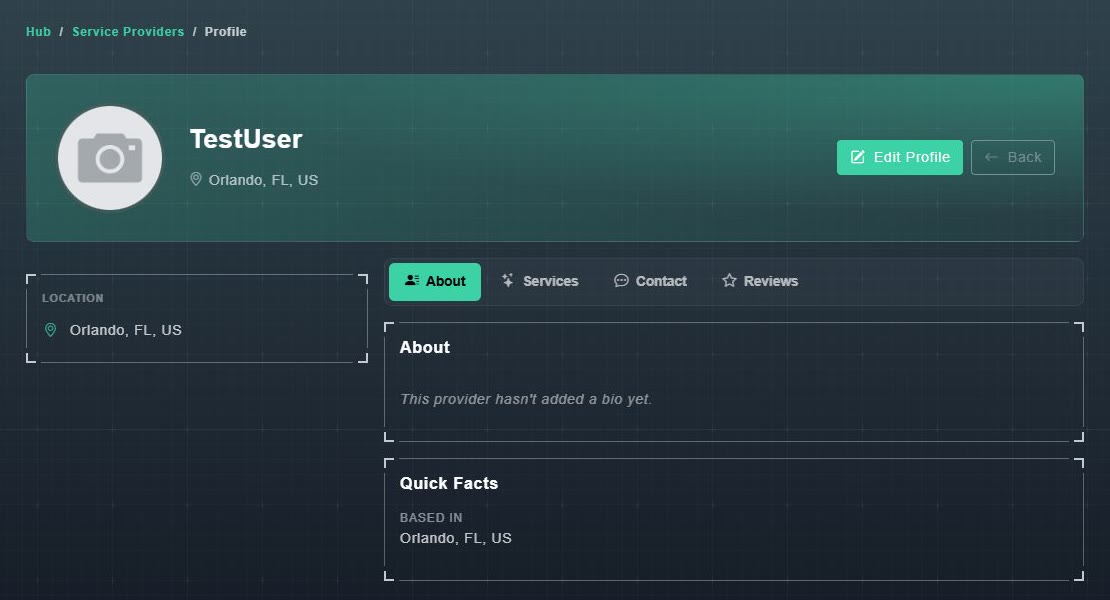
What appears comes from your profile. On the My Profile page, the Service Provider Profile section holds your Business Information, your Business Location, and Notify Me About User Messages, which chooses how you hear about new messages (for example Email and Phone). See editing your profile.
#Find a Provider
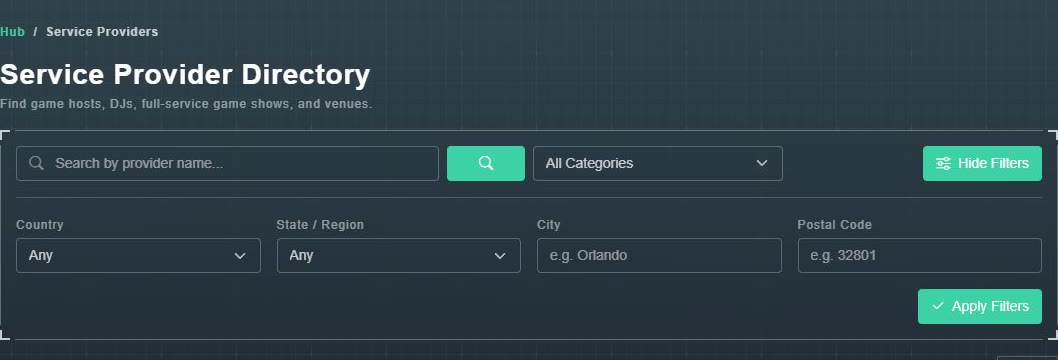
Find a Provider opens the Service Provider Directory: Find game hosts, DJs, full-service game shows, and venues. Use it to find someone to host for you, or to see how other providers present themselves.
-
Type in Search by provider name..., or choose a category: Independent Game Host, Full Service Game Shows, DJ / Music Entertainment or Venue Operator.
The list narrows.
-
For a local search choose More Filters, set a Country, State / Region, City or Postal Code, and choose Apply Filters.
Only providers in that place are shown.
-
Set Per page (10, 20 or 50) and choose View Profile on a provider.
Their public profile opens.