Suggest a Feature is where hosts shape Gig Game. The page says: Suggest improvements, report bugs, or pitch a brand-new game app. Up-vote what you'd use and join the conversation.
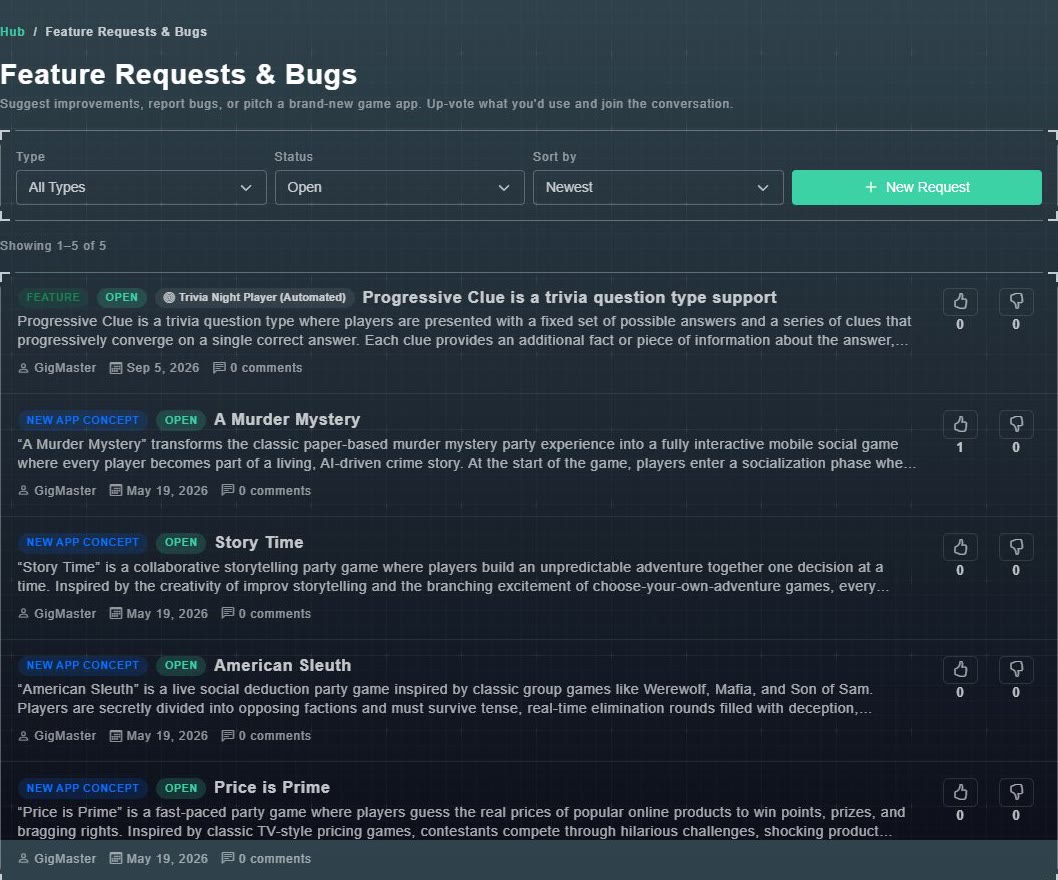
#Browse and vote
- Type: All Types, Features, Bugs or New App Concepts.
- Status: All Statuses, Open, In Progress, Resolved or Closed.
- Sort by: Most Popular, Newest or Oldest.
- Each request shows what it is, its status, who posted it, the date, how many comments it has, and thumbs up and thumbs down buttons with counts. Choose one to read it and join the conversation.
#Submit a request
-
Choose New Request.
The Submit a Request page opens, with three choices: Feature Request, Bug Report and New App Concept.
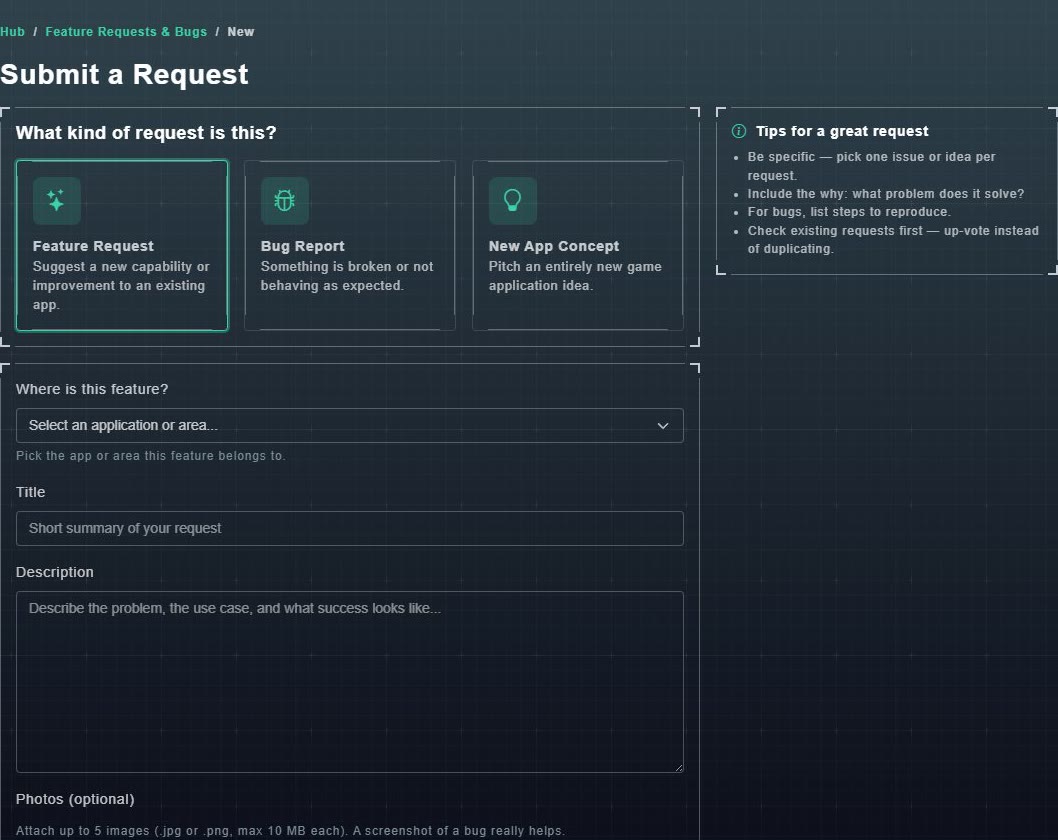
Submit a Request. -
Under Where is this feature?, pick the game or area it belongs to. The list includes each game, Trivia Builder, General Host Hub Issue and Public Web Site.
Your request goes to the right place.
-
Type a Title and a Description. Optionally add up to 5 photos (.jpg or .png, up to 10 MB each). A screenshot of a bug really helps.
Your request is described.
-
Choose how to be told when it is resolved or closed: SMS or Email.
You will be notified of the outcome.