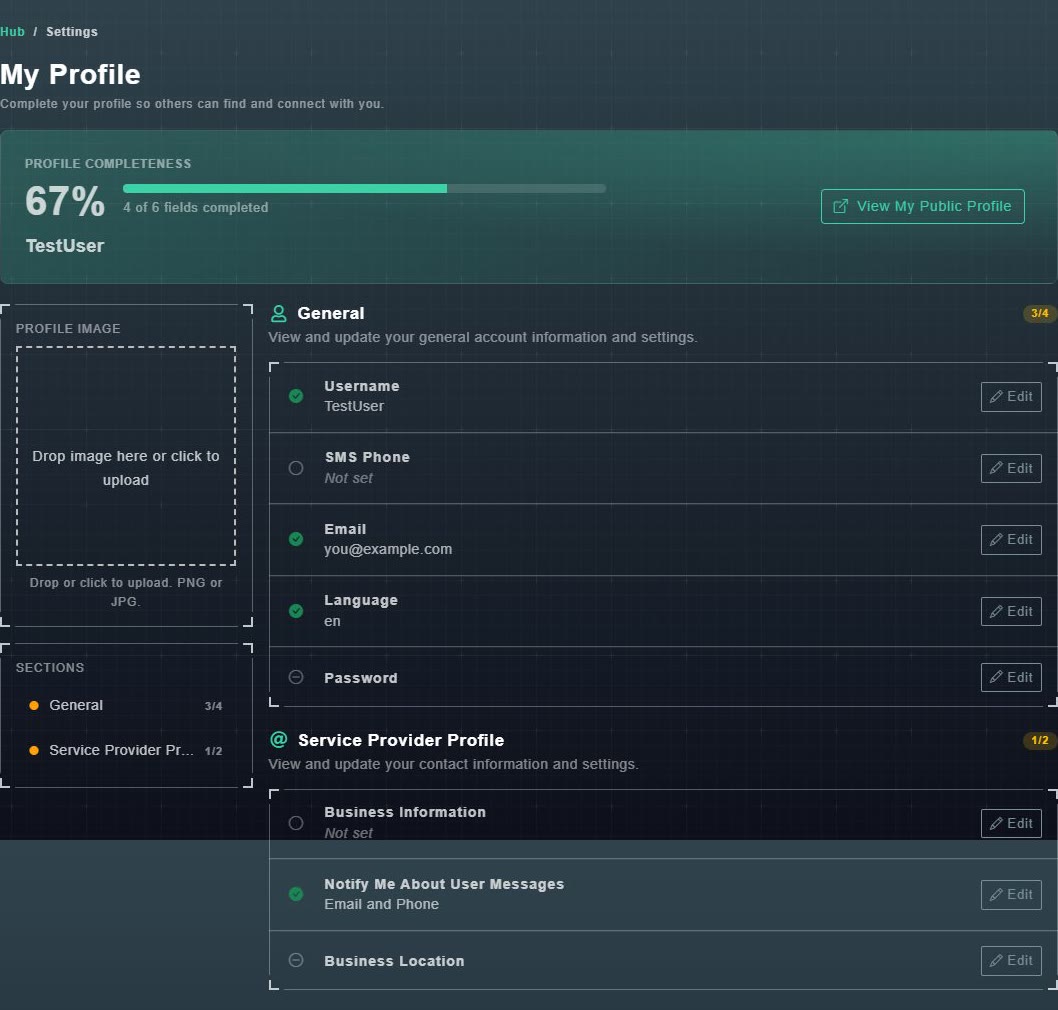
Choose Edit Profile in the sidebar (or Settings from the menu under your name). The page is titled My Profile and says: Complete your profile so others can find and connect with you.
#Profile completeness
The bar at the top shows a percentage and how many fields are completed, for example 4 of 6. A tick beside a field means it is filled in. View My Public Profile shows what other people see. See your public profile.
#General
| Field | What it is |
|---|---|
| Username | Your name in the Hub. |
| SMS Phone | A phone number for text messages. When you change it, the Hub says: We'll text a verification code to this number before saving it. |
| The address Gig Game uses to contact you, and for sign-in recovery. | |
| Language | The language of the Hub for you, for example en. |
| Password | Change your sign-in password. |
Choose Edit beside a field, make the change, and save it.
#Profile image
Drop an image onto the Profile Image area, or click it to choose one. It must be a PNG or JPG.