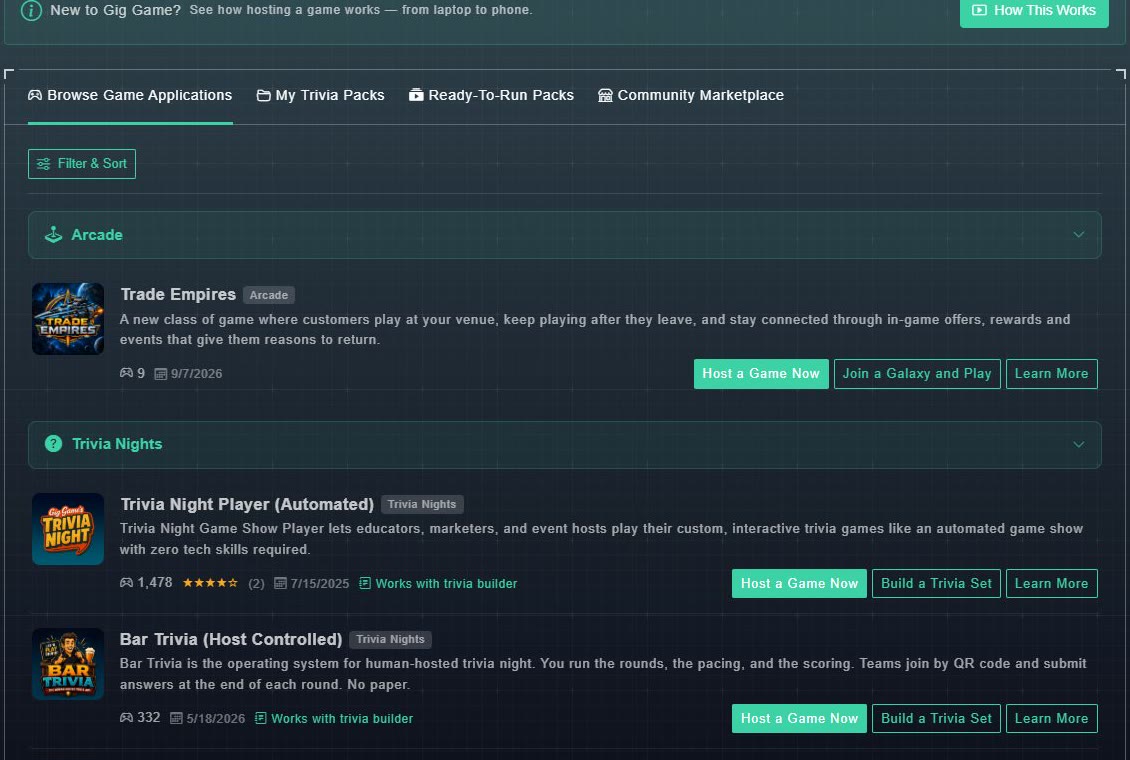
Browse Games in the sidebar opens the list of every game you can host. It is one of four tabs across the top: Browse Game Applications (this page), My Trivia Packs, Ready-To-Run Packs and Community Marketplace. The last three are about trivia and have their own help.
#Reading a game's card
- The game's picture, name and a category badge.
- A short description.
- How many times it has been played (the controller icon and number), its star rating and the number of reviews when it has any, and a date.
- Works with trivia builder on games where you can build your own trivia.
- Buttons: Host a Game Now, Build a Trivia Set (trivia games), and Learn More. A few games have their own extra button, such as Join a Galaxy and Play on Trade Empires.
#Filter and sort
-
Choose Filter & Sort above the list.
A window opens with the categories and the sort choices.
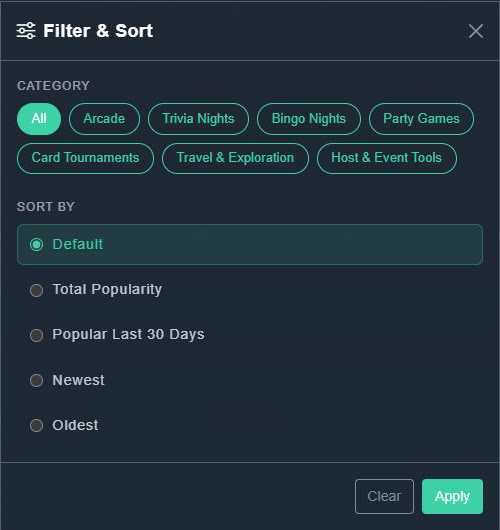
Filter & Sort. -
Under Category, choose one: All, Arcade, Trivia Nights, Bingo Nights, Party Games, Card Tournaments, Travel & Exploration, or Host & Event Tools.
Only that kind of game will be listed.
-
Under Sort By, choose Default, Total Popularity, Popular Last 30 Days, Newest or Oldest.
The list is reordered.
-
Choose Apply. (Clear puts everything back.)
The library shows your choices.