Your first job is to pick a game. The Browse Games shows every game you can host, with a short description of each. Everything in it is included in your plan.
#Browse the Game Library
-
In the sidebar, choose Browse Games. (It is also the first page you see after you create your account.)
You will see the games grouped under category headings such as Arcade and Trivia Nights. Each game has its picture, name, description, and buttons.
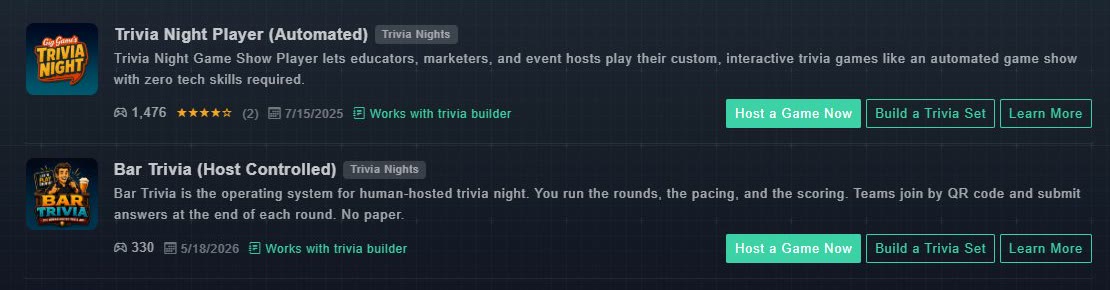
Each game has its own card. Choose Learn More to read about it, or Host a Game Now to start it. -
Read the description on each card. Games that work with the trivia builder are marked Works with trivia builder and have a Build a Trivia Set button.
You can quickly see what each game is for.
-
Choose Learn More on a game that interests you.
The game's page opens with its full description, demo videos, and how many times it has been played.
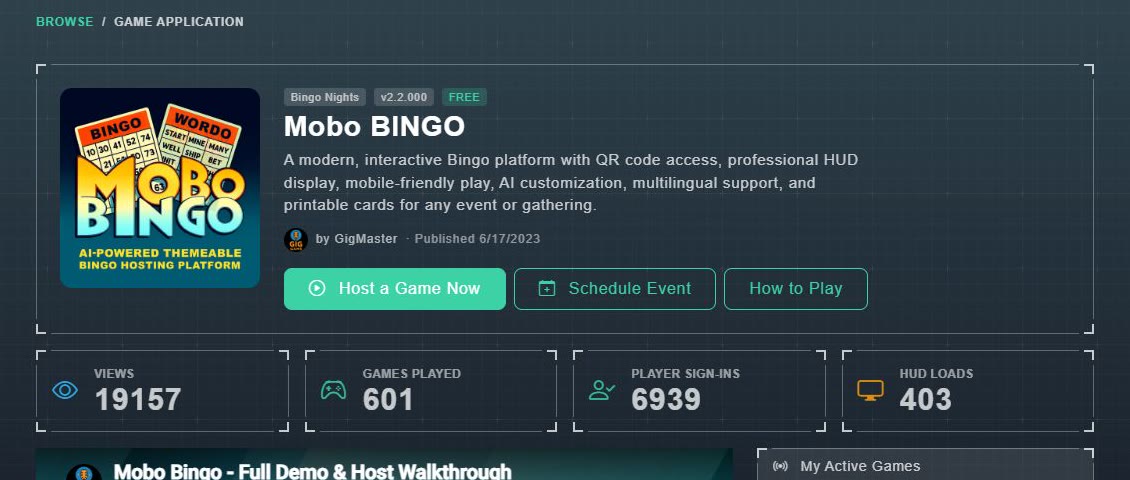
A game's page, with Host a Game Now and Schedule Event.
#What is on a game's page
- A description and the game's category (for example Bingo Nights).
- Three buttons: Host a Game Now (start playing right away), Schedule Event (set up an event for later), and How to Play.
- Counters for Views, Games Played, Player Sign-Ins and HUD Loads.
- About this Game, with the features and who it is for.
- Videos that show how to run the game, step by step.
- Reviews from other hosts.