Host a Game Now is the fastest way to get a game running. It starts the game straight away, creates an event for it behind the scenes, and opens your Host Console. Use it to try a game, or to run a casual session without planning ahead.
These steps use Mobo BINGO as an example. Starting a game works the same way for most games. A few, such as the trivia games, also ask you to choose a trivia pack inside the console. Each game's own console is covered by that game's guide.
#Start the game
-
Find your game in Browse Games and choose Host a Game Now. You will find the same button on the game's own page.
Gig Game creates an event for you and opens the Host Console on a new screen. If you already have a game running from Host a Game Now, you may be asked whether to continue it or start a new one.
-
If the game shows a short notice first, read it and choose I Acknowledge.
Some games show a reminder first, for example that Gig Game does not provide prizes or handle money. After you acknowledge it, the console is ready.
-
Take a look around the Host Console.
At the top right you will see the Access Code and a QR code. Your players appear on the left as they join. The game's controls are on the right.
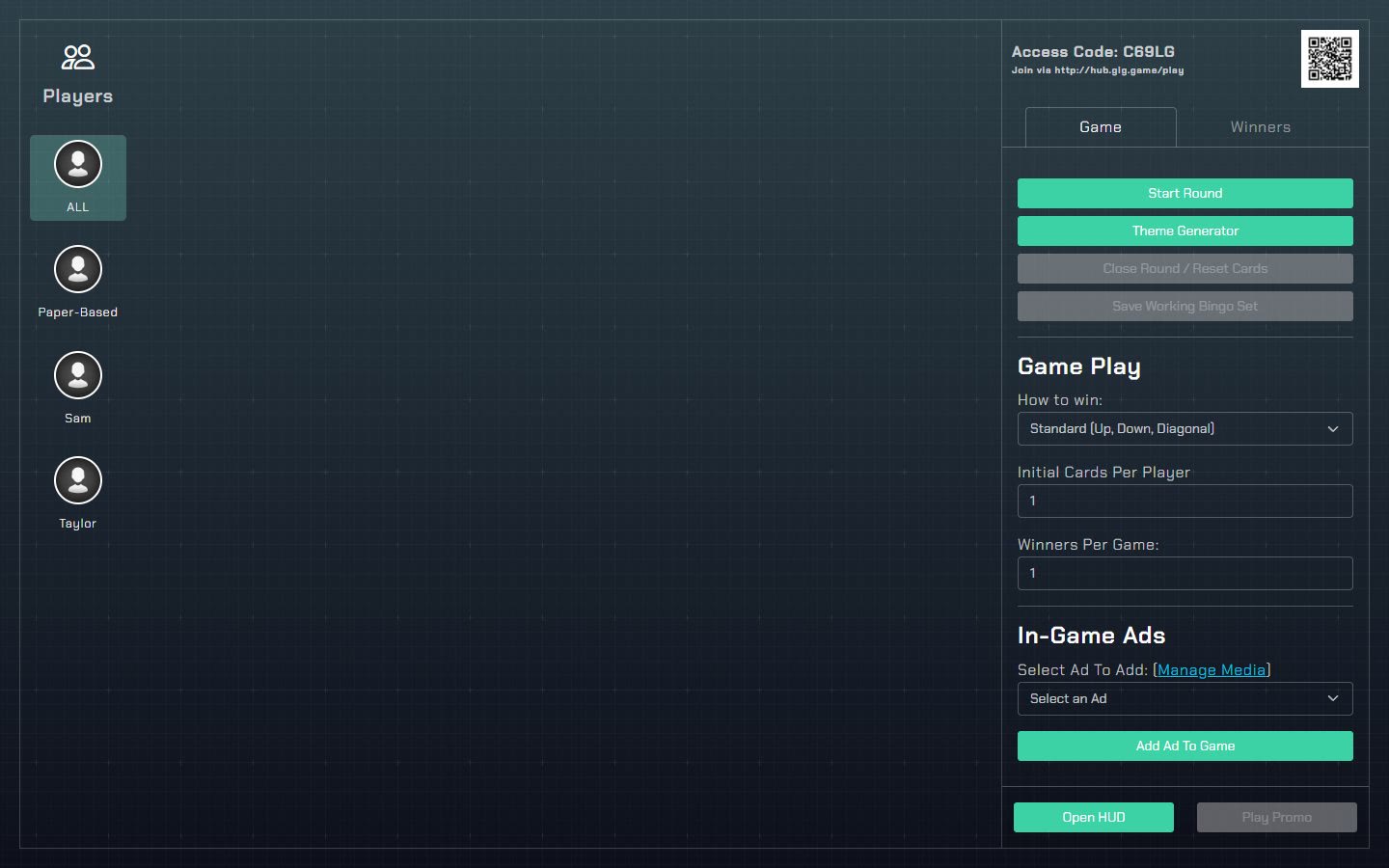
A Host Console (Mobo BINGO). Every game has its own controls.
#What was just created
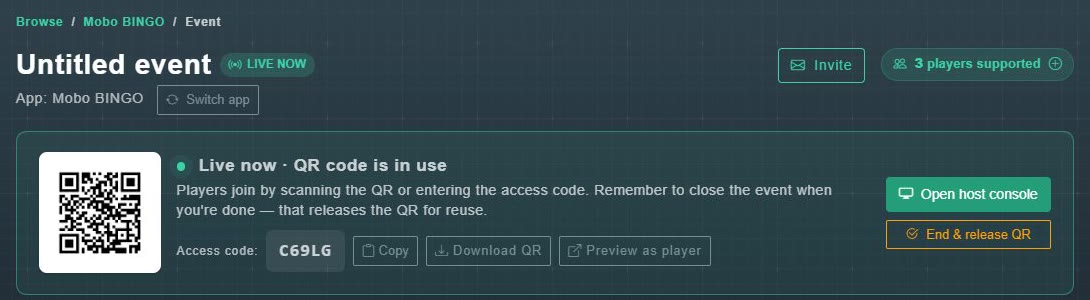
Host a Game Now creates a running event with no title. You can find it in My Game Events, give it a name, and add details from its event page. The event page is also where you end the game when you are finished.
#Next
Now get people in the room: share the QR code and access code.