The Dashboard is your Host Hub home page. Choose Dashboard in the sidebar at any time to come back to it.
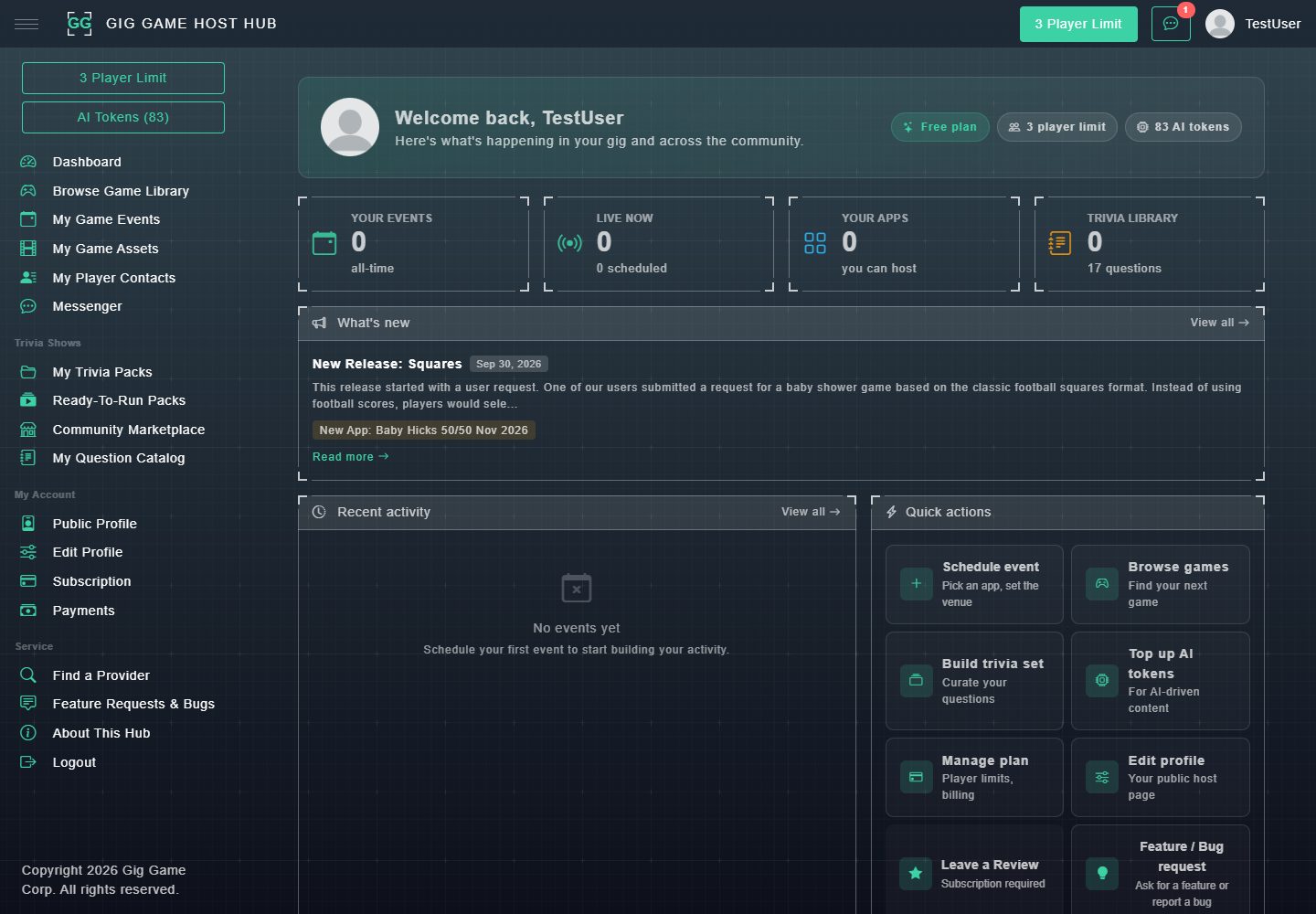
#The welcome banner
At the top, Welcome back shows your name and three quick facts: your plan (for example Free plan), your player limit, and your AI tokens balance.
#Your four totals
| Tile | What it shows |
|---|---|
| Your events | How many events you have created, all-time. |
| Live now | Events running right now, and how many are scheduled. |
| Your apps | The number of games you own and can host from your own account. Most hosts see 0 here, because the games in the Game Library are provided by Gig Game. |
| Trivia library | How many trivia questions are in your Question Catalog. |
#What's new
The latest Gig Game release note appears here. Choose Read more to open it, or View all to see every release note.
#Recent activity
Your latest events appear here. Until you have created one, it says No events yet. Choose View all to open My Game Events.
#Quick actions
Quick actions are shortcuts to the things hosts do most:
- Schedule event: pick a game and set the venue.
- Browse games: find your next game.
- Build trivia set: curate your own questions.
- Top up AI tokens: for AI-driven content.
- Manage plan: player limits and billing.
- Edit profile: your public host page.
- Leave a Review: available on paid plans.
- Feature / Bug request: ask for a feature or report a bug.
#App popularity and community
Further down, two pie charts show which games are most popular across Gig Game, all-time and over the last 30 days. Community at a glance shows how many hosts, players and game sessions Gig Game has. These are for interest only and show everyone's activity, not just yours.