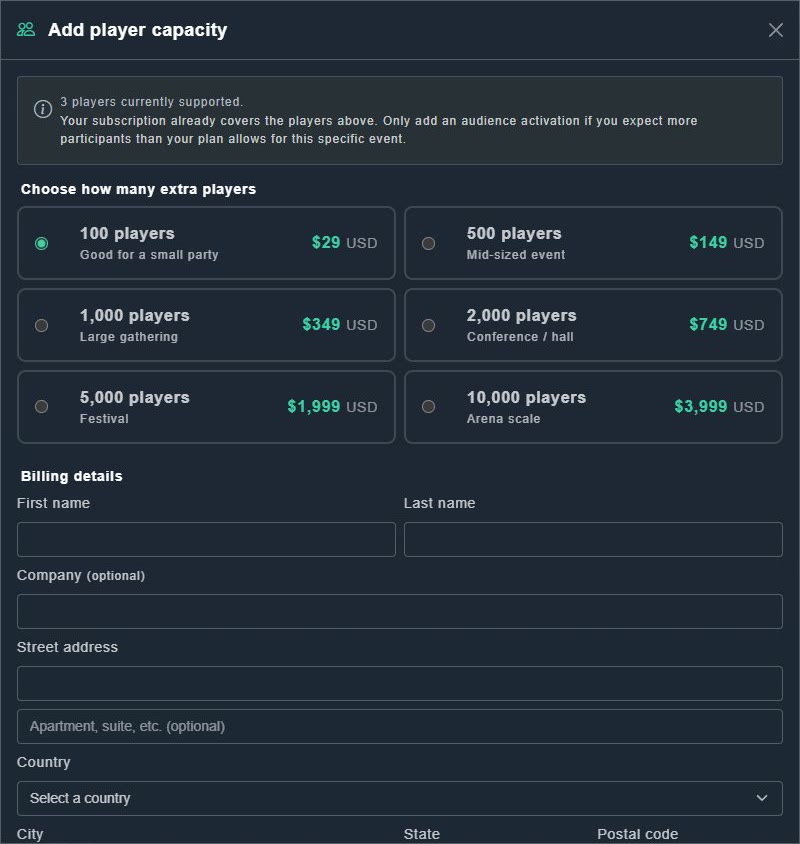
An audience activation raises the player limit for one event only. It is in addition to your plan and does not need an upgraded subscription. The window says: Your subscription already covers the players above. Only add an audience activation if you expect more participants than your plan allows for this specific event.
-
Open the event and choose the players supported button at the top right.
The Add player capacity window opens, showing how many players are currently supported.
-
Under Choose how many extra players, pick a size.
The price is shown beside it (see the table).
-
Fill in Billing details and your card, then confirm the purchase.
A message says your additional player capacity was applied, and a downloadable receipt is available in Payments.
| Extra players | Described as | Price (USD) |
|---|---|---|
| 100 | Good for a small party | $29 |
| 500 | Mid-sized event | $149 |
| 1,000 | Large gathering | $349 |
| 2,000 | Conference / hall | $749 |
| 5,000 | Festival | $1,999 |
| 10,000 | Arena scale | $3,999 |