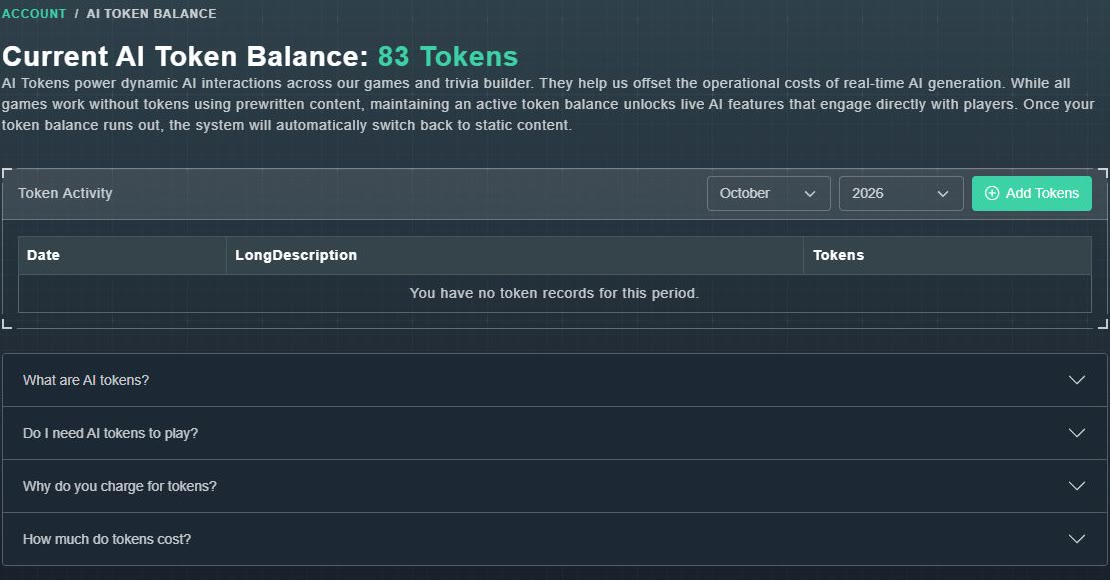
AI tokens are credits for the live AI features in Gig Game's games and trivia builder: real-time interactions, content generation, and live responses from AI characters. Your balance is the number beside AI Tokens at the top of the sidebar, and AI Tokens in the menu opens the full page.
#Do I need tokens to play?
No. According to the Hub, all games work with ordinary prewritten content, even without tokens. A token balance unlocks live AI features that respond to players. When your balance runs out, the system automatically switches back to static content.
#What uses tokens
- Generating many questions, images or videos with AI in the trivia builder. See generating questions with AI.
- AI host dialog and voice for a trivia pack. See build and publish.
- Live AI features in games that offer them. Each game's guide says which.
In the trivia builder, the token cost and your balance are shown before you commit to a build, an AI video or an AI image.
#See where your tokens went
Token Activity lists each token record, with its Date, description and number of Tokens. Use the month and year menus to look at another period. A period with none says: You have no token records for this period.
#Buy more tokens
-
On the AI Token Balance page, choose Add Tokens.
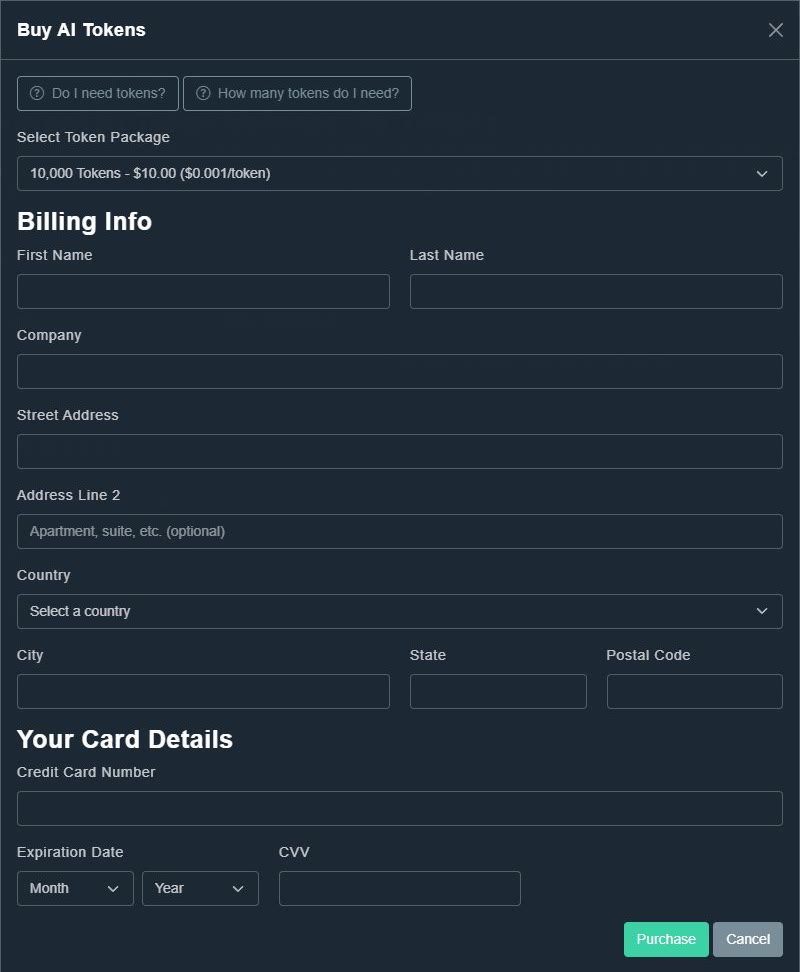
The Buy AI Tokens window opens. Two help buttons, Do I need tokens? and How many tokens do I need?, explain the basics.
Buy AI Tokens. -
Under Select Token Package, choose a package (see the table).
The package and its price are shown.
-
Fill in Billing Info and Your Card Details, then choose Purchase.
Your balance goes up. Charges are listed in Payments.
| Package | Price (USD) | Per token |
|---|---|---|
| 10,000 tokens | $10.00 | $0.001 |
| 25,000 tokens | $24.00 | $0.00096 |
| 50,000 tokens | $47.00 | $0.00094 |
| 100,000 tokens | $92.00 | $0.00092 |
| 250,000 tokens | $225.00 | $0.0009 |
| 500,000 tokens | $440.00 | $0.00088 |
| 1,000,000 tokens | $800.00 | $0.0008 |