My Game Events lists every event you have created, whether you scheduled it or started it with Host a Game Now.
-
In the sidebar, choose My Game Events.
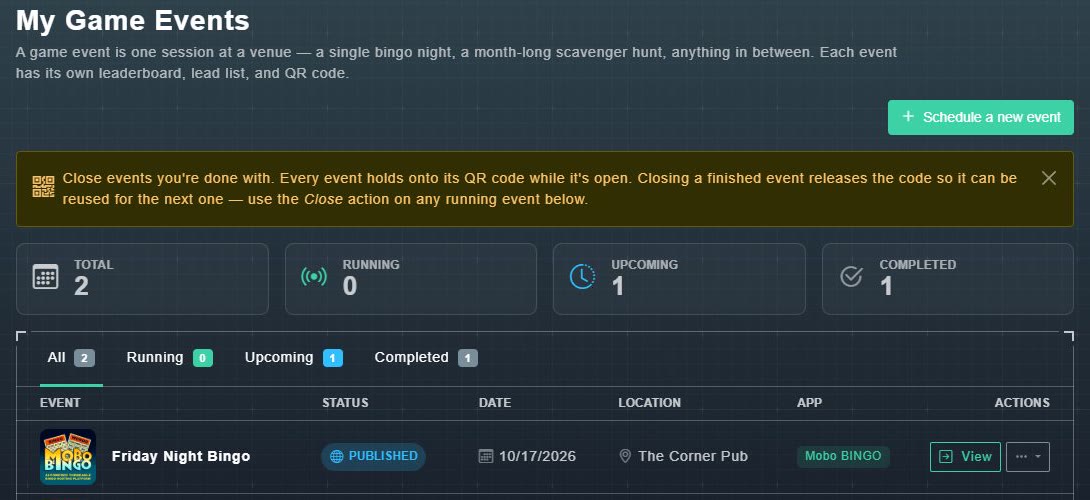
You will see counters for Total, Running, Upcoming and Completed, and a table of your events.
My Game Events. -
Use the tabs All, Running, Upcoming and Completed to filter the list.
The table shows each event's name, status, date, location and game. The status is one of Scheduled, Published, Unpublished, Running or Completed.
-
Choose View on a row to open the event.
The event page opens. The ... menu next to View holds more actions.