Game Events

Player photo sharing and your event gallery

Let players share photos to the big screen, and find every shared photo in your event gallery.

1 min read Last verified Oct 3, 2026

Take me there: My Game Events

When creating an event you choose a Player photo sharing mode. The choices are Players can share photos to the HUD (the default), Host moderates shared photos and No photo sharing allowed. Change it later from the event's Overview & Details tab.

  1. Open the event and choose the Photos & Assets tab.

    The Player shared photos card lists photos players submitted from inside the game, or says No photos yet.
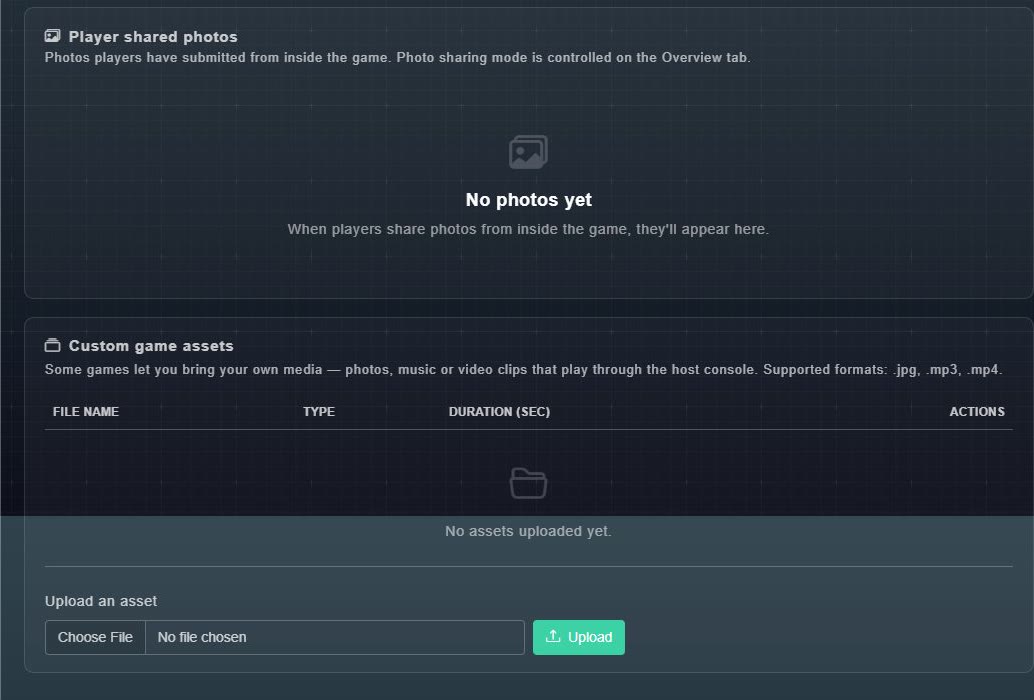
    The Photos and Assets tab with an empty Player shared photos card and a Custom game assets card with an Upload button.
    Photos & Assets.

Still need help?

Create a free account to try Gig Game, or contact us if you have a question before you start.