The Invite button on an event page opens Compose Message with the event already linked, so you can email your players about it.
-
On the event page, choose Invite.
Compose Message opens. The Subject is filled in with the event title, and a Linked Event bar shows the event.
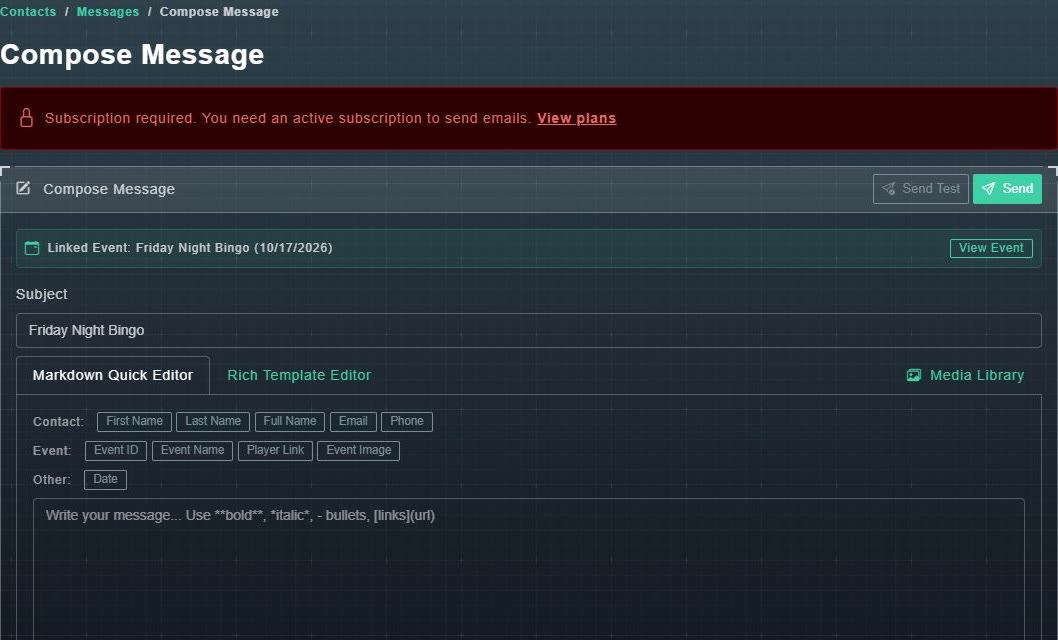
Compose Message, linked to the event. -
Write your message. Use the merge buttons such as First Name, Event Name and Player Link to personalize it.
The merge fields are filled in for each recipient.
-
Choose Send Test to preview, then Send.
The message is sent.