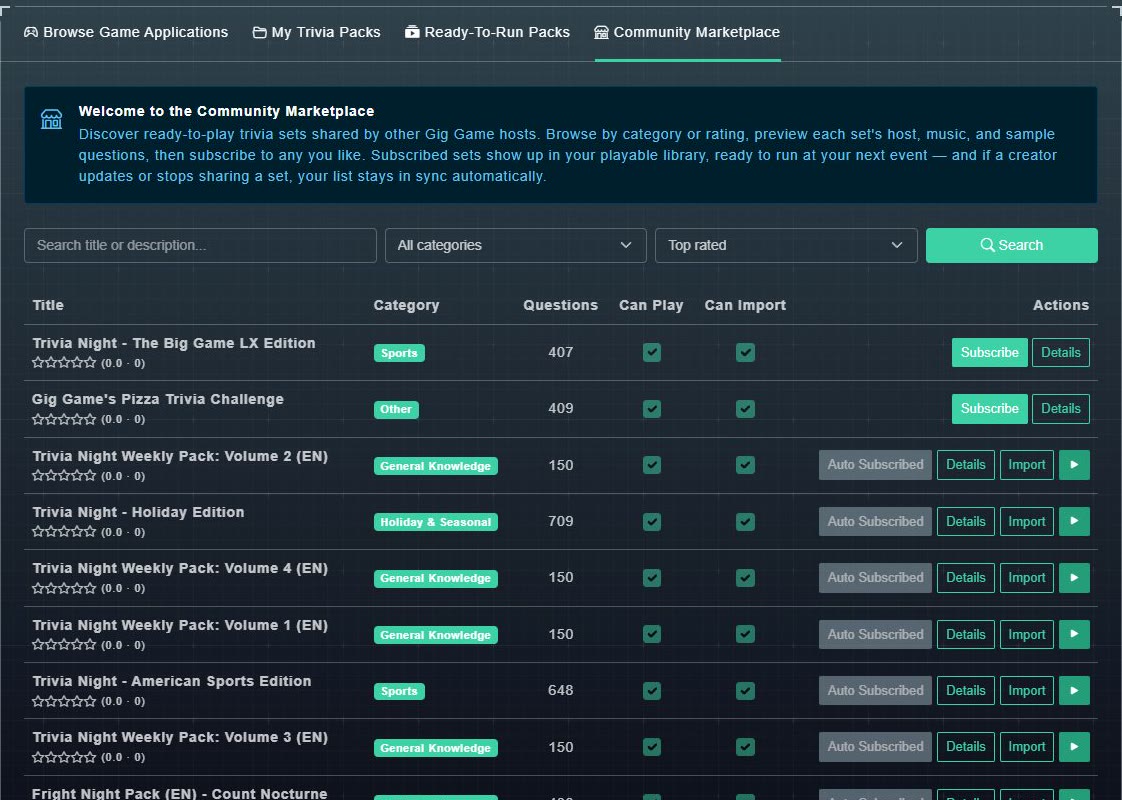
The Community Marketplace is where hosts share ready-to-play trivia sets. The page welcomes you with: Discover ready-to-play trivia sets shared by other Gig Game hosts. Browse by category or rating, preview each set's host, music, and sample questions, then subscribe to any you like. Subscribed sets show up in your playable library, ready to run at your next event, and if a creator updates or stops sharing a set, your list stays in sync automatically.
#Find a pack
-
Open Community Marketplace from the sidebar.
Packs are listed 12 to a page, with the page count at the bottom.
-
Type in Search title or description..., choose a category, and choose how to order the list: Top rated, Most subscribers or Category. Then choose Search.
The list narrows. The categories are General Knowledge, History, Geography, Science & Nature, Sports, Music, Film & TV, Pop Culture, Food & Drink, Art & Literature, Technology, Holiday & Seasonal, Kids & Family and Other.
#Reading the table
- Title, with its star rating and the number of ratings.
- Category and Questions, the number of questions.
- Can Play: a tick means the pack is available for you to play.
- Can Import: a tick means the creator allows you to copy its questions into your catalog. See importing shared questions.
- Actions: the buttons described in subscribing to a pack.
#Details
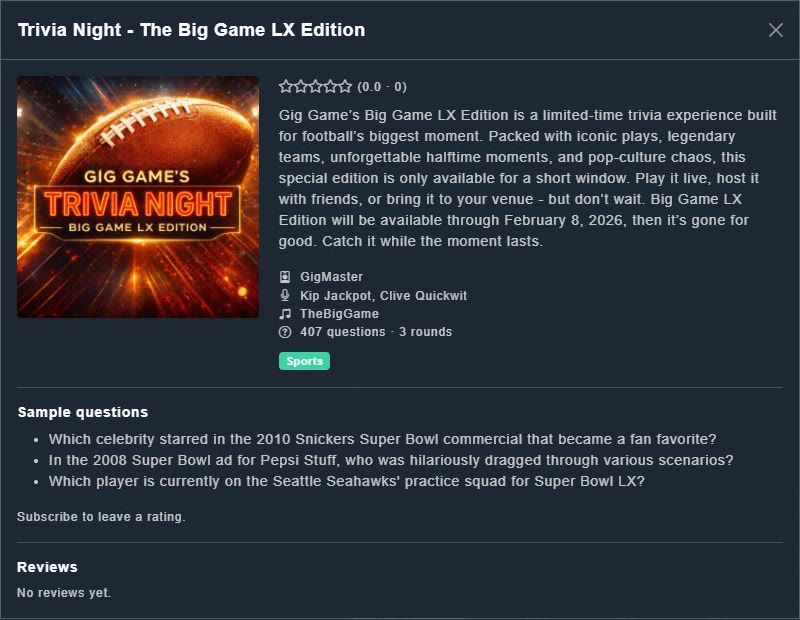
Choose Details to see a pack's cover, rating, description, its host, narrators and music, the number of questions and rounds, a few Sample questions, and its Reviews.