The Game Show Publisher builds a pack in up to three steps. The page says: Configure game settings, then optionally add an AI host before publishing.
| Step | What it covers |
|---|---|
| 1. Setup | Game info, rounds, categories and questions. |
| 2. Host & Voice (optional) | Pick narrators and a voice style. See host, voice and dialog. |
| 3. Dialog (optional, advanced) | Hand-tune host scripts. |
Across the top are Back to Templates, Reset, Save, Build & Publish and Next: Host & Voice. Beside the tabs, a switch toggles Human Hosted or Automated.
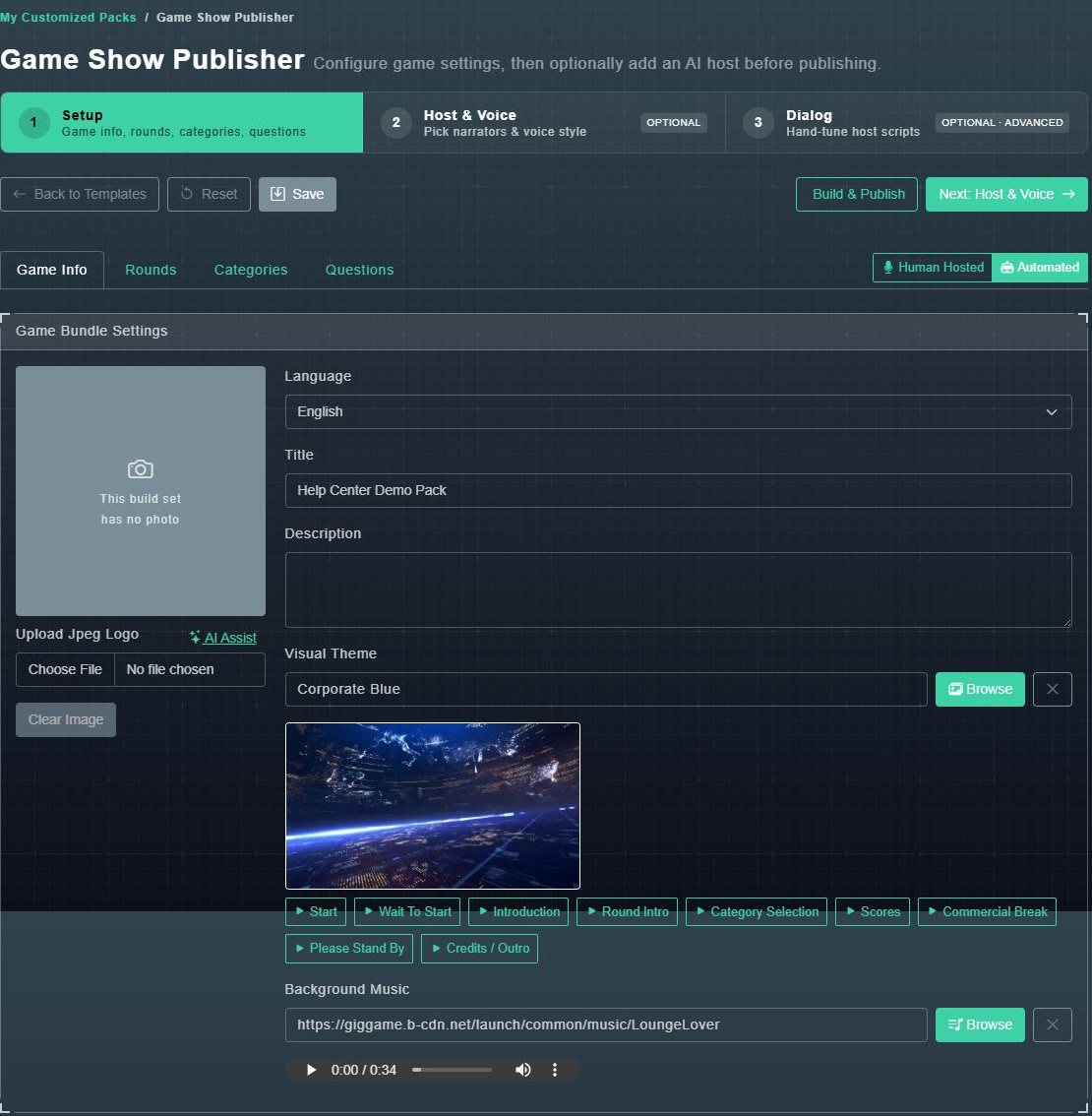
#The Game Info fields
- Upload Jpeg Logo: choose a file, or AI Assist to create one. Clear Image removes it. A cover image is required to publish a full pack.
- Language: English, Chinese, Spanish, Portuguese, Japanese, Korean, Russian, French, German, Arabic, Italian or Turkish.
- Title and Description.
- Visual Theme: see visual themes and custom screens.
- Background Music: see background music.