-
Open My Question Catalog and tick the questions you want in the pack.
Create a Game Show Pack becomes available. Until then it says: Select one or more questions to build a trivia set.
-
Choose Create a Game Show Pack.
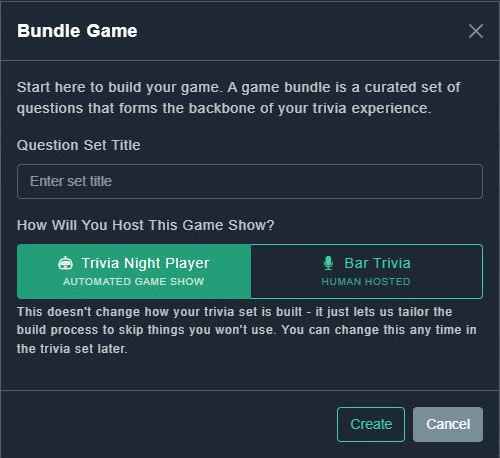
The Bundle Game window opens. It explains: A game bundle is a curated set of questions that forms the backbone of your trivia experience.
Bundle Game. -
Type a Question Set Title.
This is the pack's name.
-
Under How Will You Host This Game Show?, choose Trivia Night Player (automated game show) or Bar Trivia (human hosted).
The note explains: This doesn't change how your trivia set is built - it just lets us tailor the build process to skip things you won't use. You can change this any time in the trivia set later.
-
Choose Create.
The Game Show Publisher opens with your questions already in it.
Custom Trivia
How to create a pack from your questions
Choose questions in your catalog, name the pack, and say how you will host it. The builder opens ready for you.
Still need help?
Create a free account to try Gig Game, or contact us if you have a question before you start.