Gig Game runs trivia in two ways. You can play a ready-made pack in a few clicks, or you can build your own from your own questions. This article is the map. Every part has its own article.
#The top row of tabs
| Tab | What it is |
|---|---|
| Browse Game Applications | The Game Library, including the trivia games. |
| My Trivia Packs | Packs you have built, published or not. See packs and their statuses. |
| Ready-To-Run Packs | Packs made by Gig Game that you can play right now. See ready-to-run packs. |
| Community Marketplace | Packs shared by other hosts. See the Community Marketplace. |
#The second row of tabs
| Tab | What it is |
|---|---|
| Quick Trivia | The fast lane: add questions, then build and play in minutes. See Quick Trivia. |
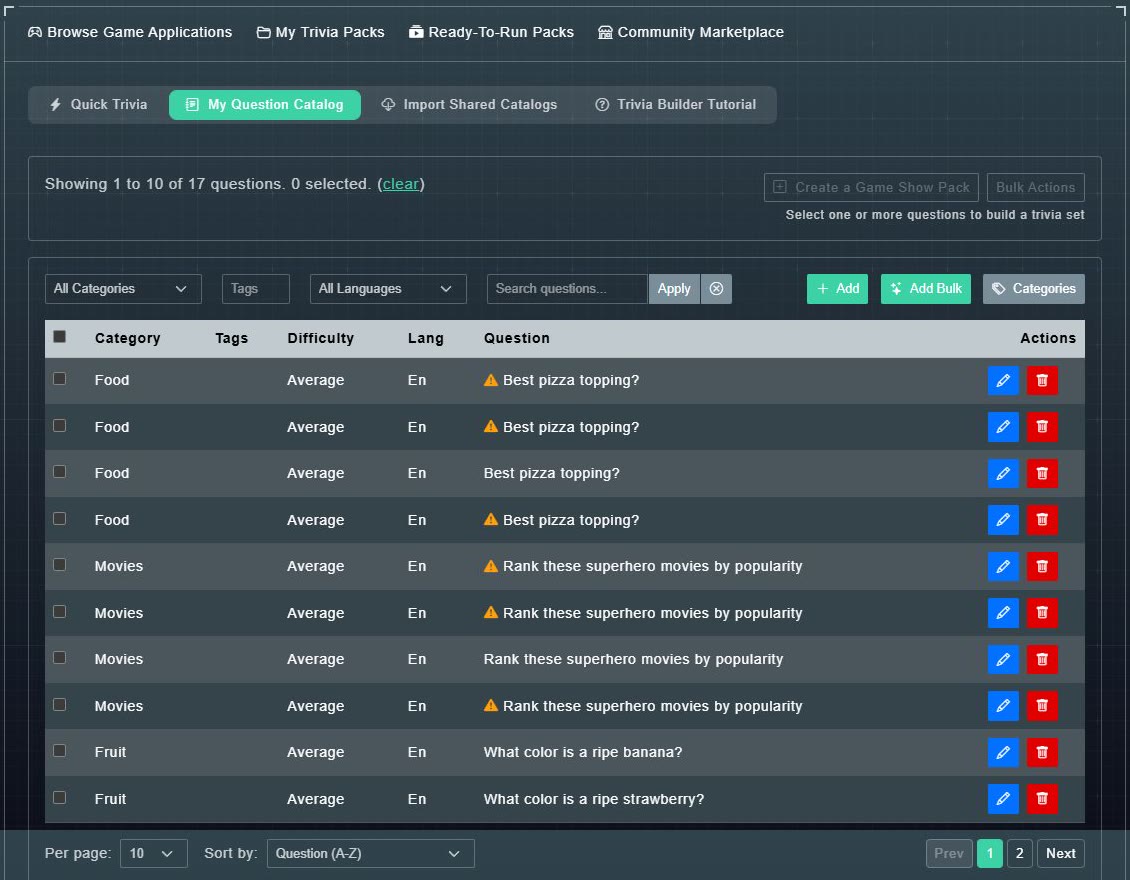
| My Question Catalog | Your permanent bank of questions. See the Question Catalog. |
| Import Shared Catalogs | Copy questions from sets other hosts share. See importing shared questions. |
| Trivia Builder Tutorial | Opens this overview in the Help Center, the guide to the builder. |
#How the pieces connect
- Questions live in your Question Catalog. You write them, import them, or have AI write them.
- A pack (a Game Show Pack) is a set of questions plus rounds, categories, a visual theme and music. Optionally it also has an AI host and voice.
- You publish a pack to play it. You can keep it private, or share it in the Community Marketplace.
- Other hosts' shared packs can be subscribed to and played, and their questions can be imported into your catalog.
#Pick a path by what you want today
- A quick game tonight: sequential questions, one round, done in minutes. Use Quick Trivia.
- A show with no live host: the full builder, Automated, can add an AI host with generated dialog and voice (optional).
- A pack to host yourself: categories and difficulty, ready for the Marketplace. Use the full builder, Host Controlled.
Quick Trivia is the fast lane: one round, no categories, no AI voice, built in one sitting. The full builder is the full toolkit. Both publish a real, playable pack, so you are never stuck with the simpler tool once you outgrow it. Nothing locks you in, and you can use a different path later. See choosing how to build for a side-by-side table and the trivia FAQ.