Three buttons sit above the question table in your Quick Trivia workspace. They are Add Question, Add From Catalog and Import From....
#Add Question
Type a question yourself, with up to 8 answers. You can also let AI Assist suggest the question or a photo. Choose the type: Standard, Player Bluff, Majority Vote or Survey Says. The type is saved on the question itself, so it is remembered anywhere that question is reused.
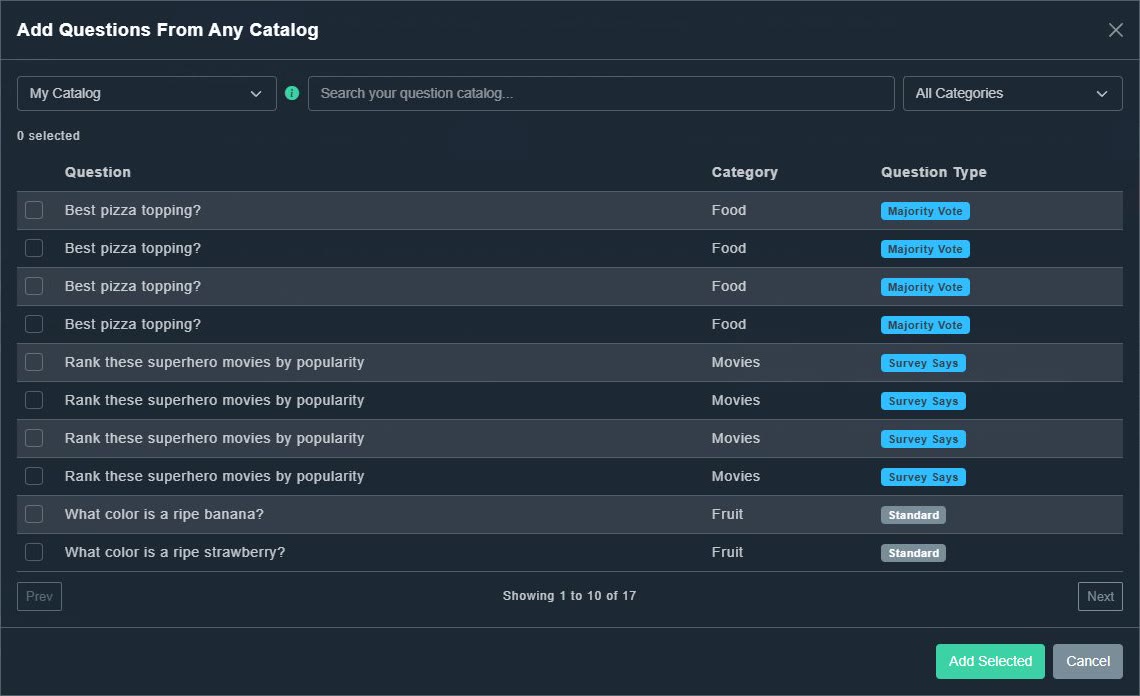
#Add From Catalog
A single picker offers My Catalog, and any shared external catalog another host has opened up. Search or filter, tick the questions you want, then choose Add Selected.
#Import From...
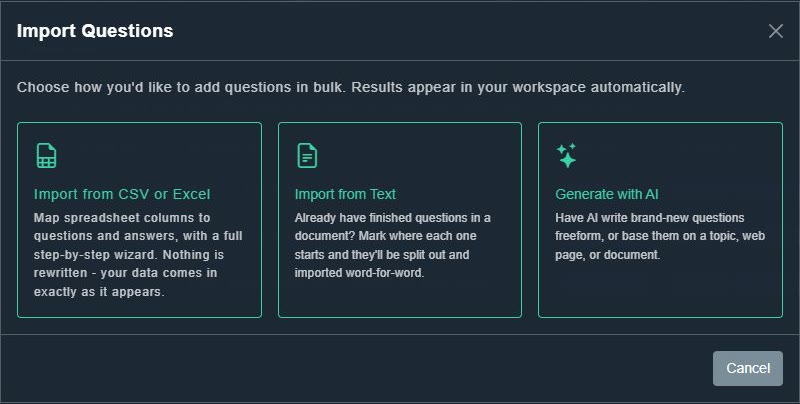
- Import from CSV or Excel: map spreadsheet columns to questions and answers. See importing from CSV or Excel.
- Import from Text: for finished questions already written in a document. See importing from text.
- Generate with AI: have AI write brand-new questions from a topic, a web page or a document. See generating questions with AI.
Results land in your workspace automatically, and anything you type, import or generate is also saved to your permanent catalog.