Use this when your questions already exist in a spreadsheet. No AI touches the content. As the page says: Nothing is rewritten - your data comes in exactly as it appears.
#Before you start
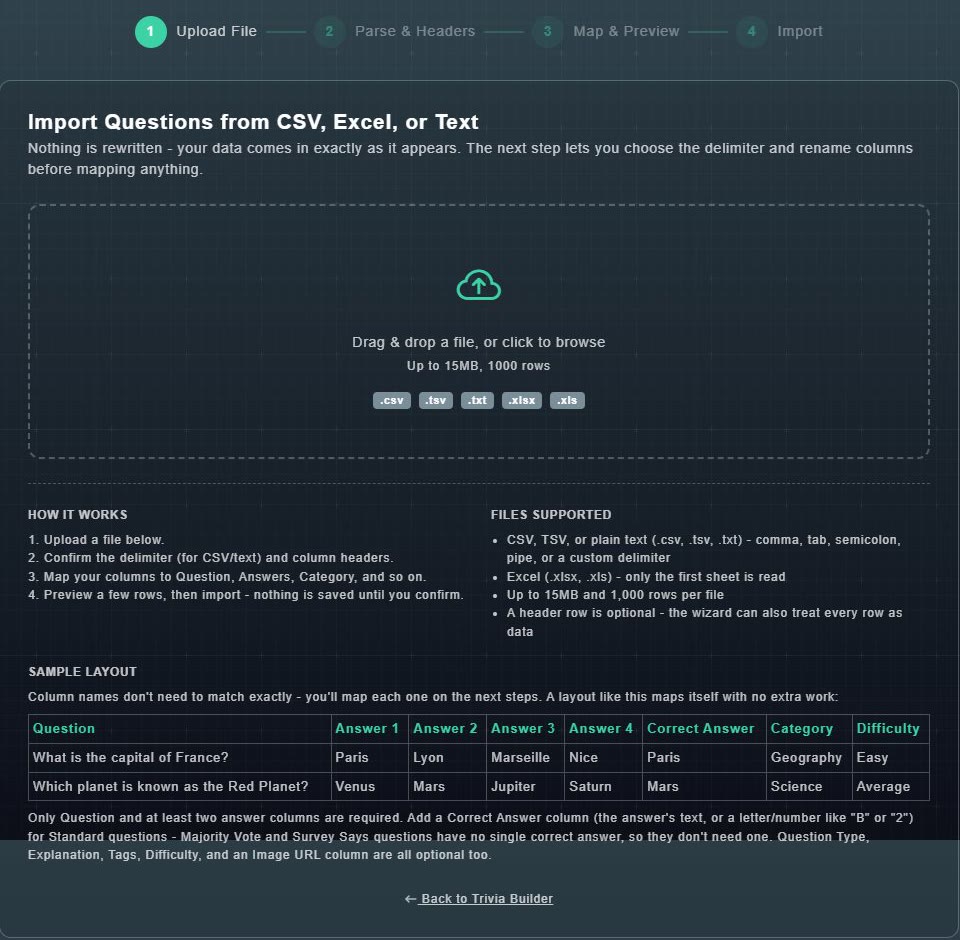
- Files: .csv, .tsv, .txt (comma, tab, semicolon, pipe or a custom delimiter) or .xlsx / .xls (only the first sheet is read).
- Limits: up to 15 MB and 1,000 rows per file.
- A header row is optional. The wizard can treat every row as data.
- Each question needs a question and at least two answers. For Standard questions add a Correct Answer column (the answer's text, or a letter or number such as B or 2). Majority Vote and Survey Says have no single correct answer, so they do not need one.
- Optional columns: Question Type, Explanation, Tags, Difficulty, Category, and an Image URL.
#The four steps
-
Open Add Bulk on the catalog (or Import From... in Quick Trivia) and choose Import from CSV or Excel. Then drop your file or choose it.
1. Upload File is done.
-
2. Parse & Headers: confirm the delimiter for CSV or text files and the column headings, and rename columns if you want.
Your columns are read correctly.
-
3. Map & Preview: match your columns to Question, Answers, Category and so on. Column names do not have to match exactly. Preview a few rows.
You can see how rows will import before committing.
-
4. Import: confirm.
Nothing is saved until you confirm. Then the questions appear in your catalog.