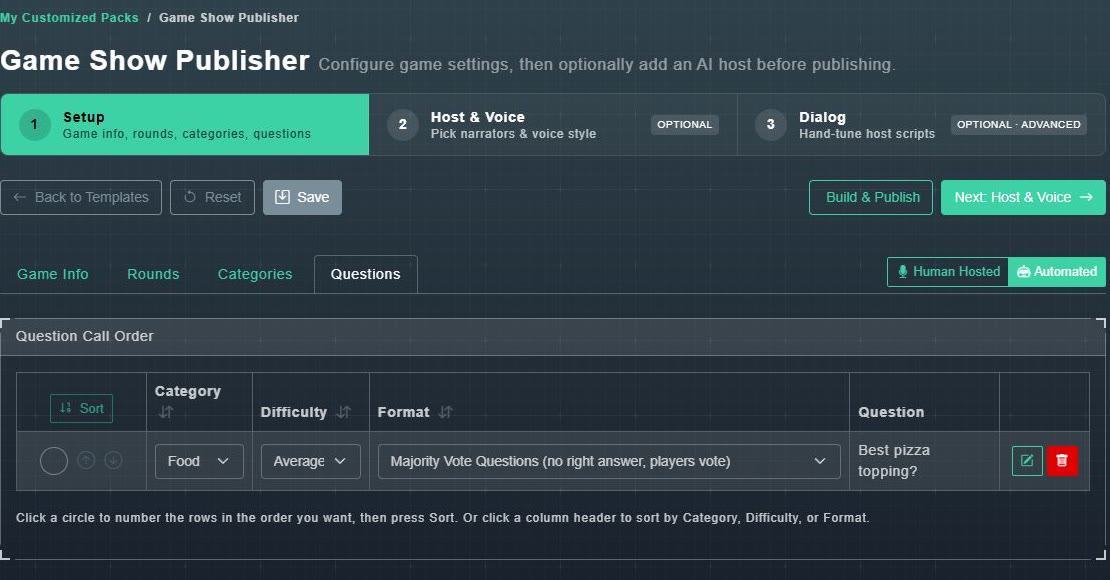
The Questions tab, titled Question Call Order, lists every question in the pack. The help line says: Click a circle to number the rows in the order you want, then press Sort. Or click a column header to sort by Category, Difficulty, or Format.
#Put the questions in order
-
Click the circle beside each question in the order you want: 1, 2, 3 and so on.
Each circle shows its number.
-
Choose Sort.
Every numbered row moves to match. Rows you did not number follow afterwards.
You can also use the up and down arrows on a row, or click the Category, Difficulty or Format heading to sort by that column. Numbering rows by hand or using the arrows clears the column-sort indicator.
#Format and the other menus
Each row has Category, Difficulty and Format menus. Format is how the question is played: Standard, Bluff, Majority Vote or Survey Says. See question types. The pencil edits the question, and the red bin removes it from this pack.