You can start any published pack, a ready-to-run pack or a subscribed one from its Play Now button (or the green play button in the Marketplace).
-
Choose Play Now on the pack.
The Choose Your Game Mode window opens: Pick the player experience that fits how you want to run this game.
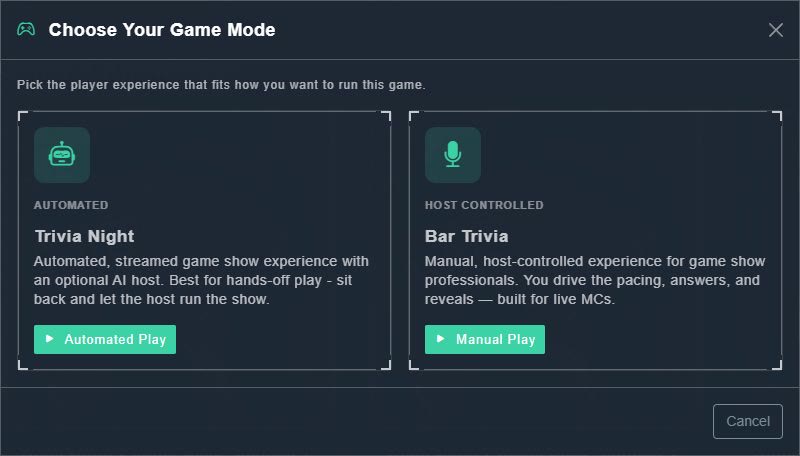
Choose Your Game Mode. -
Choose Automated Play for Trivia Night, or Manual Play for Bar Trivia.
The game starts and the Host Console opens, as in any other game.
| Mode | How it runs |
|---|---|
| Trivia Night (Automated) | An automated, streamed game show with an optional AI host. Best for hands-off play: sit back and let the host run the show. |
| Bar Trivia (Host Controlled) | A manual, host-controlled experience. You drive the pacing, answers and reveals, and it is built for live MCs. |