A Visual Theme is the look of your show: the pictures and videos behind each screen. New packs start with Corporate Blue.
-
On the Game Info tab (or Quick Trivia's Publish Setup), choose Browse beside Visual Theme.
The Select a Visual Theme window shows themes as pictures.
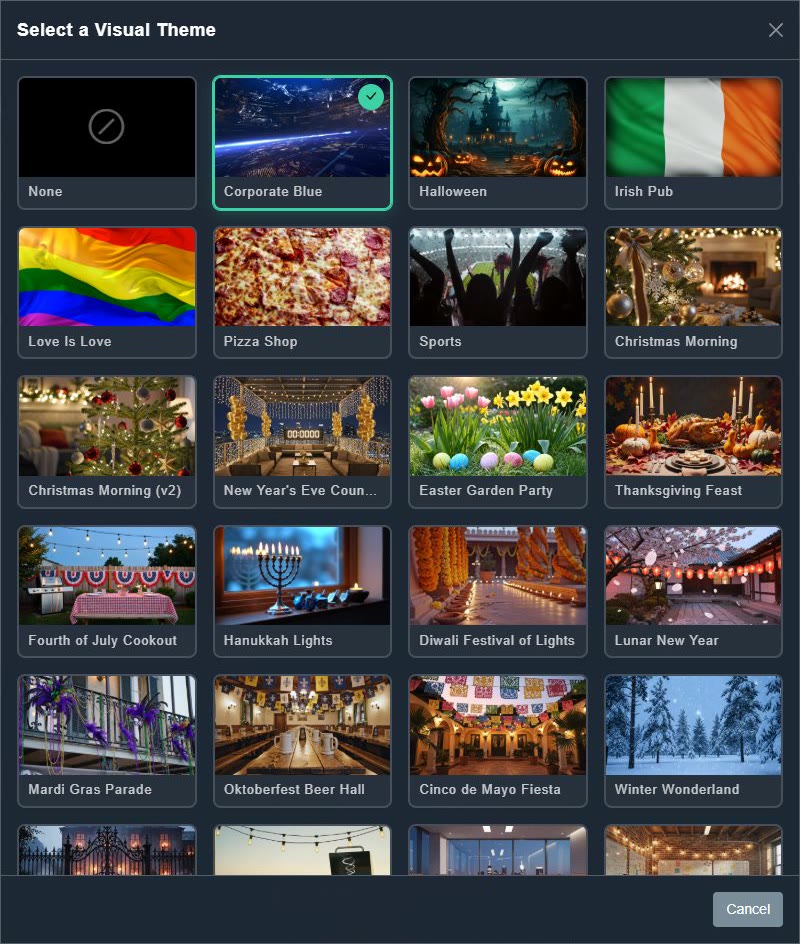
Select a Visual Theme. -
Choose a theme. None removes the theme. The ticked picture is your current choice.
The preview and the nine screen buttons update.
There are around fifty themes, from seasonal ones (Halloween, Christmas Morning, Oktoberfest Beer Hall, Lunar New Year) to business ones (Executive Boardroom, Trade Show Expo Floor), places (Irish Pub, Tiki Bar Luau, Alpine Ski Lodge) and fantasy settings (Dragon's Keep, Cyberpunk Neon City).
#The nine screens
Under the preview are buttons for the screens a game shows. Choose one to see or replace that screen's picture or video.
- Start, Wait To Start and Introduction (before the game begins).
- Round Intro and Category Selection (during play).
- Scores (between rounds).
- Commercial Break and Please Stand By (pauses).
- Credits / Outro (the end).
Each screen can use a picture or video chosen from the library, one you upload, or one you generate with AI. AI video clips are looping backgrounds of 4, 6 or 8 seconds. You pick a video category (Abstract, Fantasy, Sci-Fi, Sports and more) and describe what you want. Only one video can generate at a time, so wait for it to finish before starting another. Generation takes a few minutes and keeps running if you close the window. The token cost (the rate times the length) and your balance are shown before you commit, and every video you make is saved to your own reusable library for future packs.